Mobile apps for products that need people to come back
NorvexSoft designs and builds custom iOS and Android apps for sales, bookings, memberships, internal operations and startup MVPs. Every app project is broken down by user flow, backend, admin, notifications, store submission and running costs, so you know what you are committing to before you commit.
 Get app development advice
Before you decide
Not every business needs an app first
If the goal is only to present information or take enquiries, a website is probably the better first step. A mobile app earns its cost when you need a repeat channel to customers, staff or a user community.
5 signs an app makes sense
The more of these are true, the more the app has a reason to exist rather than being one more channel.
- People need to sign in and use it repeatedly
- You need push notifications for orders, appointments, offers or reminders
- You need something faster than a website on a phone
- You need to store personal data, transaction history, loyalty points or memberships
- You need to support an internal process: sales, task assignment, reporting, attendance, inspections
Signs it is too early
If any of these four is true, build the website first. NorvexSoft will say so rather than take the project.
- It is not yet clear who will use the app
- There is no initial audience
- The features amount to presenting basic information
- The budget does not yet account for backend, stores, servers and maintenance
Types of app
The kinds of app NorvexSoft builds
These five groups cover nearly every real request. Each lists the features it usually carries, so you can size up the work before hearing a price.
Sales apps
Suits: product brands, shops, distributors, anything with returning customers.
- Product catalogue, cart, payments
- Orders and customer accounts
- Promo codes
- Push notifications
Booking and service apps
Suits: spas, gyms, clinics, education, consulting, home services.
- Service calendar and booking
- Automatic reminders
- Customer records
- Appointment management in the admin panel
Membership and loyalty apps
Suits: retail chains, gyms, restaurants, communities, anything people come back to often.
- Member sign-in
- Loyalty points and tiers
- QR code at the counter
- Transaction history, offer notifications
Internal operations apps
Suits: businesses running on spreadsheets, group chats, scattered forms or software that does not fit.
- Staff sign-in and permissions
- Task assignment and approval
- Reporting
- An admin dashboard
Startup MVPs
Suits: founders who need a first version to test the market, demo to investors or gather user feedback.
- The product's main flow
- Sign-in and a minimal backend
- User behaviour tracking
- Room to grow with the feedback
The parts
An app is more than screens on a phone
The six parts below are what actually make an app work. They are also why an app costs more than a website: the part people see is one of six.
The iOS/Android app
Where people sign in, browse, order, book, get notifications or do their work. One codebase runs on both platforms.
Backend and database
Where accounts, orders, appointments, notifications, content and any synced data live. If the business also has a website, this is the part they share.
Admin panel
Where the owner or staff manage products, orders, users, reports and configuration.
Third-party integrations
Payments, maps, SMS, email, chat, CRM, inventory, accounting, analytics.
Stores and release
Apple Developer and Google Play accounts, screenshots, descriptions, privacy declarations and the review process.
Running it after launch
Servers, backups, bug fixes, updates for new OS releases, crash monitoring and new features.
Handover
What sign-off delivers
The exact list is written into the quote for each scope. This is what a client actually receives for an app project.
- A finished app on both iOS and Android, live on the App Store and Google Play.
- 100% of the app and backend source code within the project scope, with instructions for rebuilding the environment.
- The release build files (.aab for Google Play, .ipa for the App Store) and the app signing key.
- Backend admin accounts, permissions and operating documentation.
- Admin rights on the App Store Connect and Google Play Console listings, in your name.
- Server, database and integration service details, in your name.
- Analytics configured: installs, opens and the events you signed off.
- A sign-off record and the list of items covered by technical support.
Why NorvexSoft
Commitments & support
The six below go into the quote or the sign-off record of every project. They are not verbal promises.
Direct to developer
Work directly with the developer
You talk to the person actually building the project, with no account manager in between. Requirements land correctly the first time.Transparent pricing
Scope agreed before anything starts
The quote names every line item, everything not included, and the level of support after handover. Anything outside the scope is quoted before it is built, not charged afterwards.Your store accounts
Store accounts in your name
The Apple Developer and Google Play accounts belong to you, and Apple and Google charge you directly. NorvexSoft is granted access only to submit builds.36-month warranty
Technical support after launch
Technical faults within the signed-off scope are fixed free during a 30-day warranty, with 14 to 30 days of usage support. Server monitoring, new releases and updates for changing iOS or Android requirements are a monthly operations package.Full ownership
You own everything
Source code, app signing keys, servers and service accounts are all in your name, the signing key included, which matters because losing it means never updating the app already on the stores.One codebase
One codebase, not two builds
iOS and Android share one set of code, so a fix or a new feature is built once for both platforms.
Selected projects
Selected apps
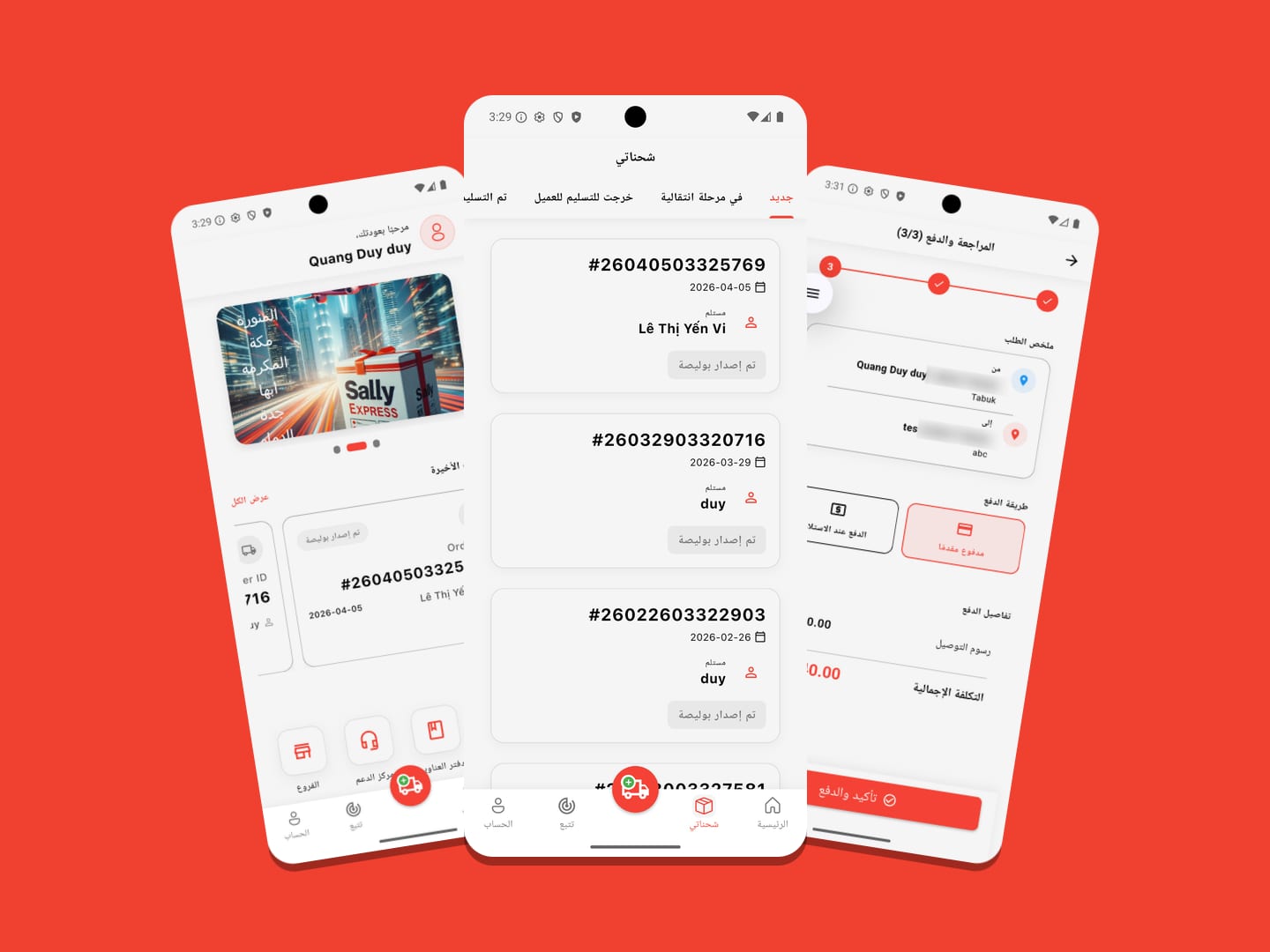
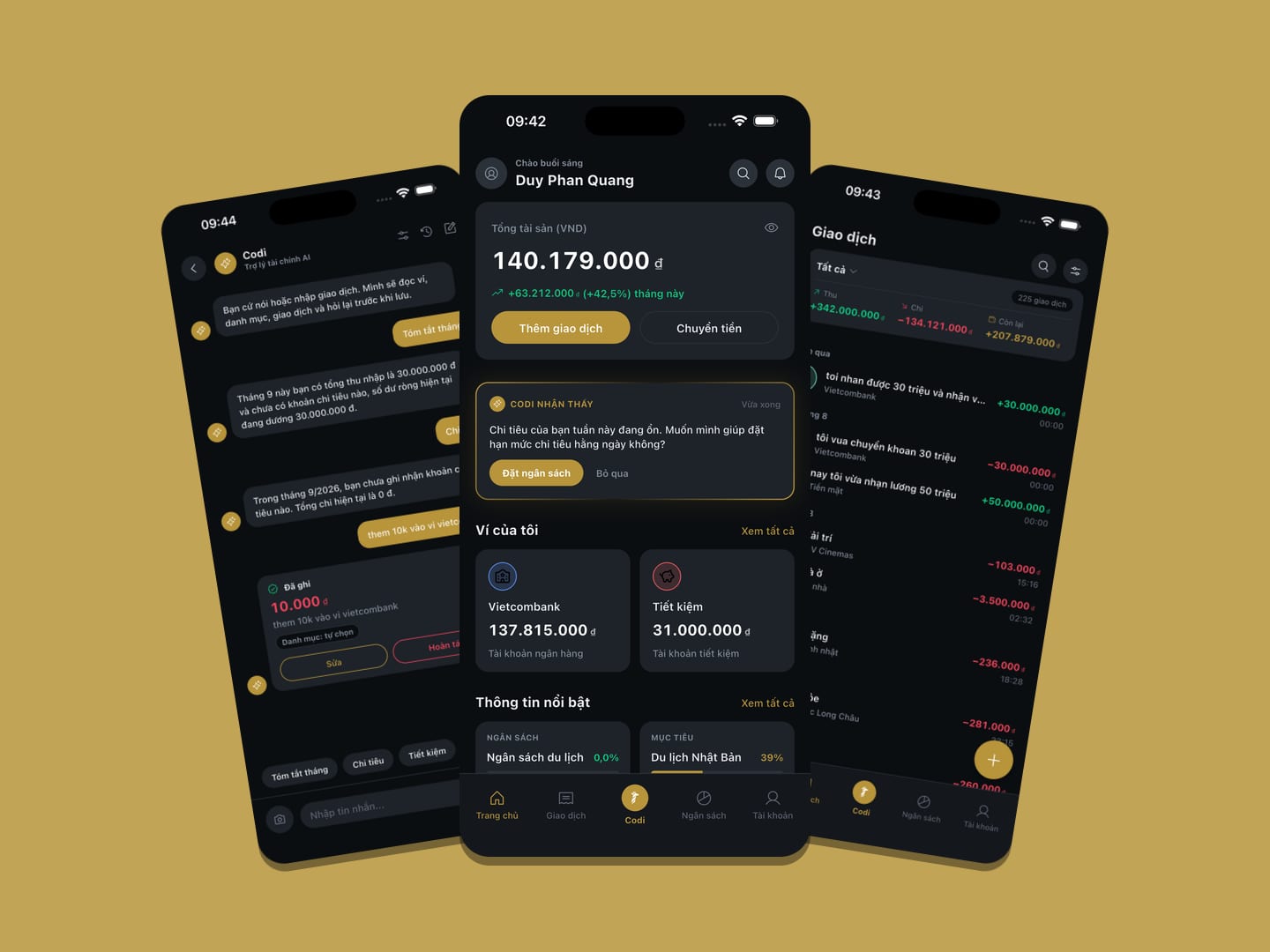
These projects include a delivered app and a NorvexSoft product in development. Open either one to see the original brief and how it was built.
Before a quote
App pricing follows the user flows, the data and how it will run
These eight questions decide the app's scope. If you cannot answer one yet, that is exactly what to talk about first, not what to skip.
Does the app need iOS, Android or both?
Who is the main user: customers, staff, partners or a community?
Do you need sign-in, permissions and user profiles?
Where does the app's data come from: entered fresh, synced from the website, or an existing system?
Do you need payments, push notifications, maps, QR codes, the camera, or offline use?
Who administers the content and data once the app is live?
Does the app need to go on the App Store and Google Play?
After launch, who is responsible for fixes, updates and server monitoring?
Process
From an idea to an app people can install
Every step has a concrete output for you to review and approve before the next one starts, including the last two that app projects so often skip.
- 01Discovery
Analyse the problem
Settle who the users are, the situations they use it in, the flows and the business goal. You get an agreed written problem statement before anyone talks about screens or technology.
- 02Scope
Fix the scope of version one
Decide which screens come first, which features wait, and what the backend and admin panel need. You get a detailed quote broken down by line item, with timings and everything that is not in scope.
- 03Design
Design the flows and the interface
Build an experience that works on a phone, optimise the main actions, and handle the error, empty and loading states. You approve the design direction before any code is written, when changes are still fastest and cheapest.
- 04Development
Build the app, backend and admin
The app, the API, the database, the admin panel and the necessary integrations. You get an installable test build to follow progress throughout.
- 05Testing
Test on real devices
Sign-in, data, speed, notifications, payments, poor network conditions and a range of screen sizes, on real handsets rather than only in a simulator. You and your staff try it through TestFlight and Closed Testing before it goes public.
- 06Launch
Release and support
Prepare the store listings, submit for review and follow it through to approval. That gate is held by Apple and Google, so NorvexSoft commits to preparing the submission correctly rather than promising an approval date. Then the source code and signing keys are handed over and the support scope is confirmed.
Pricing
Mobile app packages
App cost follows the screen count and the number of business flows, so most projects are quoted after scoping. The three groups below are there so you can place your project before we talk.
A startup or business testing an idea quickly. Depending on scope, includes:
- An iOS/Android app from one codebase
- The main user flow
- Basic sign-in
- A minimal backend
- A simple admin panel
- Testing and handover
Sales, booking, membership and customer-care apps. Depending on scope, includes:
- The iOS/Android app
- Backend and database
- Admin panel
- Push notifications
- Payments or third-party integrations
- Submission to both stores
Internal systems, bespoke processes, several user roles, complex data. Depending on scope, includes:
- Process analysis before any code
- Multi-level permissions
- Dashboards and reporting
- Working on a poor connection, where needed
- Syncing with your existing systems
- Long-term operational support
The last two groups are quoted once the screen list and the business flows are settled, because that is what decides the real volume of work. Every line item, and everything not included, is written into the quote before work starts.
Extra costs
Extra costs to know about
The five below are charged directly by third parties and are not in NorvexSoft's quote. Knowing them up front means budgeting for them, rather than meeting them at release time.
Apple
Apple Developer account
Needed to publish on the App Store. Apple charges annually, and the account is in your name.Google
Google Play Console account
Needed to publish on Google Play. Google charges once, and the account is in your name.Hosting
Server and backend
Needed if the app has sign-in, synced data, an admin panel or push notifications. Cost follows real user numbers.Integrations
Third-party services
Payment gateways, SMS, email, maps, analytics, CDN. You only pay for the ones the project actually uses.Maintenance
Maintenance
Needed for fixes, for updates when iOS or Android change their requirements, for server monitoring and for new features.
Related service
The app exists, but where do people find you?
A store listing does not show up on Google the way a website does. If you need customers to find you through search, that is still the website's job.
FAQ
Frequently asked questions about mobile apps
If the goal is to present the business, run ads or take enquiries, a website is usually the better first step. If the product needs people to come back regularly, to sign in, to get notifications or to do something repeatedly, an app has a clearer reason.
Most business apps do, once there are accounts, synced data, orders, appointments, notifications or an admin panel. An app with no backend only suits very simple cases.
Yes. Depending on scope and budget, one codebase can serve both platforms, which cuts both development and maintenance cost.
Yes, including preparing the build, screenshots, descriptions and privacy declarations, and submitting for review. The developer accounts should be in your details so you own the product long term.
Get a quote on WhatsApp
WhatsApp is the fastest route. The person who replies is the person who builds the project, so you get a budget range in the conversation itself.
Message on WhatsApp for a quoteStart a project
Have an app idea but are not sure where to start?
Send a short description of the users, the features and what the app is for. NorvexSoft will help you settle the scope of a first version, what it needs to include, and the costs to budget for before building.
The person who replies is the person who builds the project. Replies during working hours, usually within 24 hours.